


How to export a session from RaceChrono
- Open the session in RaceChrono.
- Choose export, and as the format CSV (with the lap data included) or VBO.
- Save the file and drop it on the upload page.
What is read from the file
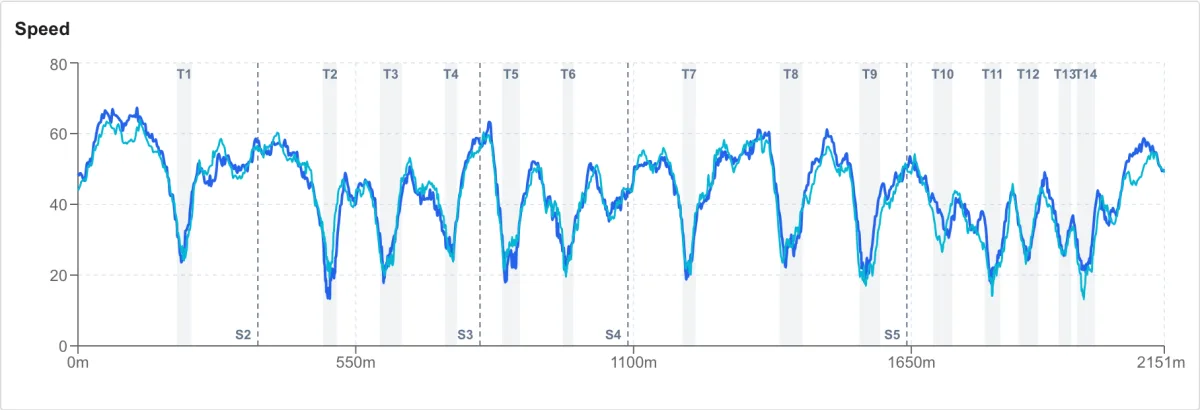
- Positions, speed, distance and the laps as RaceChrono timed them.
- The g-forces and the channels of the devices you connected — OBD and CAN channels are kept even when they are not drawn yet.
- With no lap markers in the file, the start/finish line is found from the track.
What you get
- Each lap over satellite imagery, coloured by speed, with the corners and the sectors marked.
- Two laps compared at the same place of the track, with the time gained and lost along the lap.
- The ideal lap from your best sectors, and coaching corner by corner.
- Every visit to the track in one place, with the progress of your best lap.
Questions
- Do I need RaceChrono Pro?
- You need a version that exports sessions as CSV or VBO.
- Is a phone GPS accurate enough?
- For lap times and the line it is usable, and an external 10–25 Hz GPS receiver is far better. The comparison lines laps up by their place on the track, which takes out much of the drift between two laps.
Other apps and loggers
RaceBox →Files: VBO, GPX, KMLRaceBox Mini and Micro: the VBO file carries speed, g-forces and lean angle.AiM (MyChron, Solo, Race Studio) →Files: CSVMyChron, Solo and other AiM loggers through a CSV from Race Studio.MoTeC i2 →Files: LD, CSVThe .ld log straight from the logger, or a CSV from i2.TrackAddict →Files: CSV, GPX, KML, VBORaw or interpolated CSV, or any of its other exports.