



How to export a session from TrackAddict
- Open the list of recorded sessions in TrackAddict.
- Pick the session and export it — CSV (raw or interpolated), VBO, GPX or KML.
- Drop the file on the upload page.
What is read from the file
- Positions, speed, the laps and the g-forces.
- The OBD channels the app recorded, when there are any.
- The video sync columns are not needed and are left out.
What you get
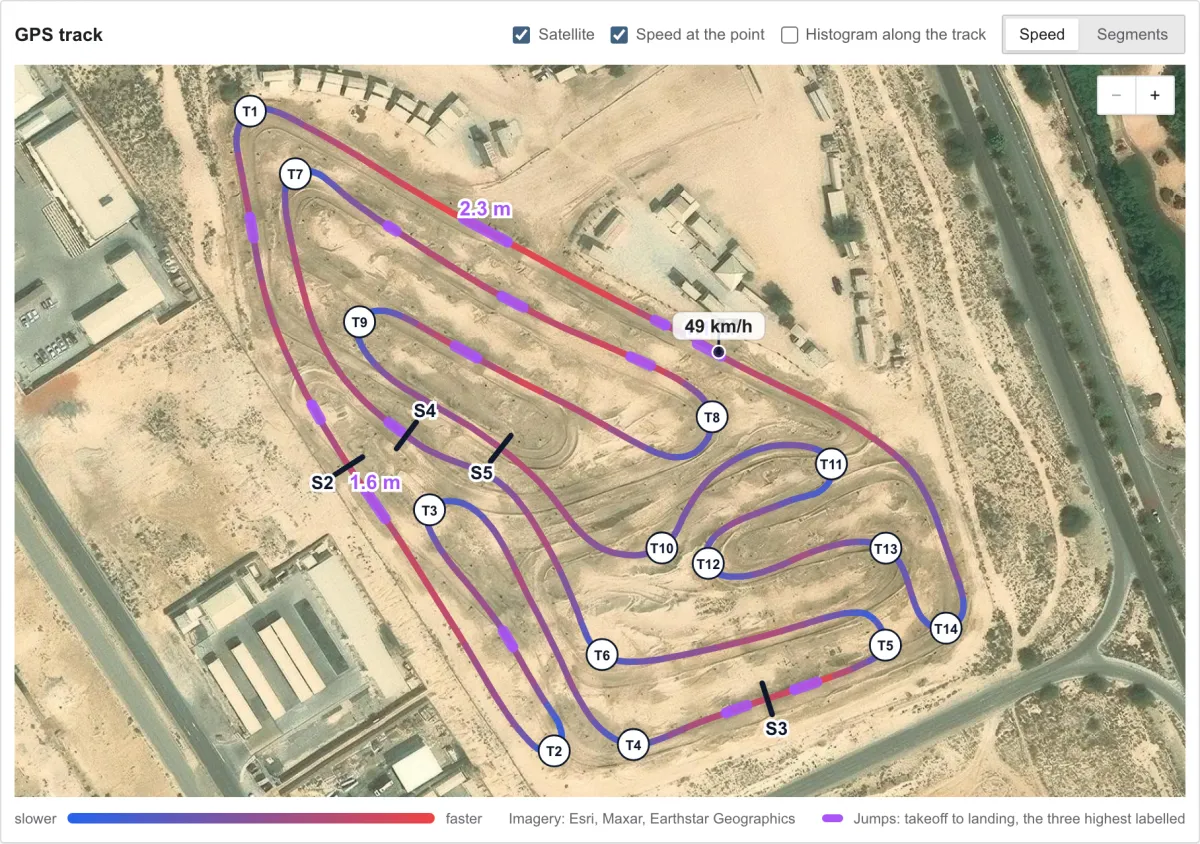
- Each lap over satellite imagery, coloured by speed, with corners and sectors.
- Two laps compared at the same place of the track, with the time gained and lost.
- Coaching corner by corner and the progress of your best lap visit after visit.
Questions
- Raw or interpolated CSV?
- Either works. Raw keeps the samples exactly as recorded.
Other apps and loggers
RaceBox →Files: VBO, GPX, KMLRaceBox Mini and Micro: the VBO file carries speed, g-forces and lean angle.RaceChrono →Files: CSV, VBOThe phone lap timer: export the session as CSV or VBO.AiM (MyChron, Solo, Race Studio) →Files: CSVMyChron, Solo and other AiM loggers through a CSV from Race Studio.MoTeC i2 →Files: LD, CSVThe .ld log straight from the logger, or a CSV from i2.